Tag: #rpa

  • Can RPA Work With Legacy Systems? Here’s What You Need to Know!

    Can RPA Work With Legacy Systems? Here’s What You Need to Know!

    It’s a question more IT leaders are asking as automation pressures rise and modernization budgets lag behind. 

    While robotic process automation (RPA) promises speed, scale, and relief from manual drudgery, most organizations aren’t operating in cloud-native environments. They’re still tied to legacy systems built decades ago and not exactly known for playing well with new tech.

    So, can RPA actually work with these older systems? Short answer: yes, but not without caveats. This article breaks down how RPA fits into legacy infrastructure, what gets in the way, and how smart implementation can turn technical debt into a scalable automation layer.

    Let’s get into it.

    Understanding the Compatibility Between RPA and Legacy Systems

    Legacy systems aren’t built for modern integration, but that’s exactly where RPA finds its edge. Unlike traditional automation tools that depend on APIs or backend access, RPA Services works through the user interface, mimicking human interactions with software. That means even if a system is decades old, closed off, or no longer vendor-supported, RPA can still operate on it, safely and effectively.

    This compatibility isn’t a workaround — it’s a deliberate strength. For companies running mainframes, terminal applications, or custom-built software, RPA offers a non-invasive way to automate without rewriting the entire infrastructure.

    How RPA Maintains Compatibility with Legacy Systems:

    • UI-Level Interaction: RPA tools replicate keyboard strokes, mouse clicks, and field entries, just like a human operator, regardless of how old or rigid the system is.
    • No Code-Level Dependencies: Since bots don’t rely on source code or APIs, they work even when backend integration isn’t possible.
    • Terminal Emulator Support: Most RPA platforms include support for green-screen mainframes (e.g., TN3270, VT100), enabling interaction with host-based systems.
    • OCR & Screen Scraping: For systems that don’t expose readable text, bots can use optical character recognition (OCR) to extract and process data.
    • Low-Risk Deployment: Because RPA doesn’t alter the underlying system, it poses minimal risk to legacy environments and doesn’t interfere with compliance.

    Common Challenges When Connecting RPA to Legacy Environments

    While RPA is compatible with most legacy systems on the surface, getting it to perform consistently at scale isn’t always straightforward. Legacy environments come with quirks — from unpredictable interfaces to tight access restrictions — that can compromise bot reliability and performance if not accounted for early.

    Some of the most common challenges include:

    1. Unstable or Inconsistent Interfaces

    Legacy systems often lack UI standards. A small visual change — like a shifted field or updated window — can break bot workflows. Since RPA depends on pixel- or coordinate-level recognition in these cases, any visual inconsistency can cause the automation to fail silently.

    2. Limited Access or Documentation

    Many legacy platforms have little-to-no technical documentation. Access might be locked behind outdated security protocols or hardcoded user roles. This makes initial configuration and bot design harder, especially when developers need to reverse-engineer interface logic without support from the original vendor.

    3. Latency and Response Time Issues

    Older systems may not respond at consistent speeds. RPA bots, which operate on defined wait times or expected response behavior, can get tripped up by delays, resulting in skipped steps, premature entries, or incorrect reads.

    Advanced RPA platforms allow dynamic wait conditions (e.g., “wait until this field appears”) rather than fixed timers.

    4. Citrix or Remote Desktop Environments

    Some legacy apps are hosted on Citrix or RDP setups where bots don’t “see” elements the same way they would on local machines. This forces developers to rely on image recognition or OCR, which are more fragile and require constant calibration.

    5. Security and Compliance Constraints

    Many legacy systems are tied into regulated environments — banking, utilities, government — where change control is strict. Even though RPA is non-invasive, introducing bots may still require IT governance reviews, user credential rules, and audit trails to pass compliance.

    Best Practices for Implementing RPA with Legacy Systems
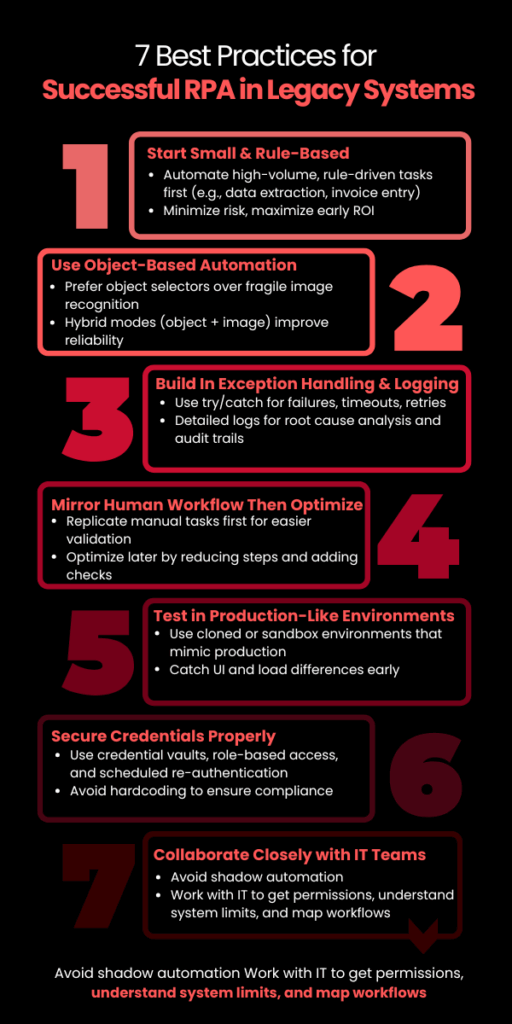
    Best Practices for Successful RPA in Legacy Systems

    Implementing RPA Development Services in a legacy environment is not plug-and-play. While modern RPA platforms are built to adapt, success still depends on how well you prepare the environment, design the workflows, and choose the right processes.

    Here are the most critical best practices:

    1. Start with High-Volume, Rule-Based Tasks

    Legacy systems often run mission-critical functions. Instead of starting with core processes, begin with non-invasive, rule-driven workflows like:

    • Data extraction from mainframe screens
    • Invoice entry or reconciliation
    • Batch report generation

    These use cases deliver ROI fast and avoid touching business logic, minimizing risk. 

    2. Use Object-Based Automation Where Possible

    When dealing with older apps, UI selectors (object-based interactions) are more stable than image recognition. But not all legacy systems expose selectors. Identify which parts of the system support object detection and prioritize automations there.

    Tools like UiPath and Blue Prism offer hybrid modes (object + image) — use them strategically to improve reliability.

    3. Build In Exception Handling and Logging from Day One

    Legacy systems can behave unpredictably — failed logins, unexpected pop-ups, or slow responses are common. RPA bots should be designed with:

    • Try/catch blocks for known failures
    • Timeouts and retries for latency
    • Detailed logging for root-cause analysis

    Without this, bot failures may go undetected, leading to invisible operational errors — a major risk in high-compliance environments.

    4. Mirror the Human Workflow First — Then Optimize

    Start by replicating how a human would perform the task in the legacy system. This ensures functional parity and easier stakeholder validation. Once stable, optimize:

    • Reduce screen-switches
    • Automate parallel steps
    • Add validations that the system lacks

    This phased approach avoids early overengineering and builds trust in automation.

    5. Test in Production-Like Environments

    Testing legacy automation in a sandbox that doesn’t behave like production is a common failure point. Use a cloned environment with real data or test after hours in production with read-only roles, if available.

    Legacy UIs often behave differently depending on screen resolution, load, or session type — catch this early before scaling.

    6. Secure Credentials with Vaults or IAM

    Hardcoding credentials for bots in legacy systems is a major compliance red flag. Use:

    • RPA-native credential vaults (e.g., CyberArk integrations)
    • Role-based access controls
    • Scheduled re-authentication policies

    This reduces security risk while keeping audit logs clean for governance teams.

    7. Loop in IT, Not Just Business Teams

    Legacy systems are often undocumented or supported by a single internal team. Avoid shadow automation. Work with IT early to:

    • Map workflows accurately
    • Get access permissions
    • Understand system limitations

    Collaboration here prevents automation from becoming brittle or blocked post-deployment.

    RPA in legacy environments is less about brute-force automation and more about thoughtful design under constraint. Build with the assumption that things will break — and then build workflows that recover fast, log clearly, and scale without manual patchwork.

    Is RPA a Long-Term Solution for Legacy Systems?

    Yes, but only when used strategically. 

    RPA isn’t a forever fix for legacy systems, but it is a durable bridge, one that buys time, improves efficiency, and reduces operational friction while companies modernize at their own pace.

    For utility, finance, and logistics firms still dependent on legacy environments, RPA offers years of viable value when:

    • Deployed with resilience and security in mind
    • Designed around the system’s constraints, not against them
    • Scaled through a clear governance model

    However, RPA won’t modernize the core, it enhances what already exists. For long-term ROI, companies must pair automation with a roadmap that includes modernization or system transformation in parallel.

    This is where SCSTech steps in. We don’t treat robotic process automation as a tool; we approach it as a tactical asset inside larger modernization strategy. Whether you’re working with green-screen terminals, aging ERP modules, or disconnected data silos, our team helps you implement automation that’s reliable now, but aligned with where your infrastructure needs to go.

  • How RPA is Redefining Customer Service Operations in 2025

    How RPA is Redefining Customer Service Operations in 2025

    Customer service isn’t broken, but it’s slow.

    Tickets stack up. Agents switch between tools. Small issues turn into delays—not because people aren’t working, but because processes aren’t designed to handle volume.

    By 2025, this is less about headcount and more about removing steps that don’t need humans.

    That’s where the robotic process automation service (RPA) fits. It handles the repeatable parts—status updates, data entry, and routing—so your team can focus on exceptions.

    Deloitte reports that 73% of companies using RPA in service functions saw faster response times and reduced costs for routine tasks by up to 60%.

    Let’s look at how RPA is redefining what great customer service actually looks like—and where smart companies are already ahead of the curve.

    What’s Really Slowing Your Team Down (Even If They’re Performing Well)

    If your team is resolving tickets on time but still falling behind, the issue isn’t talent or effort—it’s workflow design.

    In most mid-sized service operations, over 60% of an agent’s day is spent not resolving customer queries, but navigating disconnected systems, repeating manual inputs, or chasing internal handoffs. That’s not inefficiency—it’s architectural debt.

    Here’s what that looks like in practice:

    • Agents switch between 3–5 tools to close a single case
    • CRM fields require double entry into downstream systems for compliance or reporting
    • Ticket updates rely on batch processing, which delays real-time tracking
    • Status emails, internal escalations, and customer callbacks all follow separate workflows

    Each step seems minor on its own. But at scale, they add up to hours of non-value work—per rep, per day.

    Customer Agent Journey

    A Forrester study commissioned by BMC found a major disconnect between what business teams experience and what IT assumes. The result? Productivity losses and a customer experience that slips, even when your people are doing everything right.

    RPA addresses this head-on—not by redesigning your entire tech stack, but by automating the repeatable steps that shouldn’t need a human in the loop in the first place.

    When deployed correctly, RPA becomes the connective layer between systems, making routine actions invisible to the agent. What they experience instead: is more time on actual support and less time on redundant workflows.

    So, What Is RPA Actually Doing in Customer Service?

    In 2025, RPA in customer service is no longer a proof-of-concept or pilot experiment—it’s a critical operations layer.

    Unlike chatbots or AI agents that face the customer, RPA works behind the scenes, orchestrating tasks that used to require constant agent attention but added no real value.

    And it’s doing this at scale.

    What RPA Is Really Automating

    A recent Everest Group CXM study revealed that nearly 70% of enterprises using RPA in customer experience management (CXM) have moved beyond experimentation and embedded bots as a permanent fixture in their service delivery architecture.

    So, what exactly is RPA doing today in customer service operations?

    Here are the three highest-impact RPA use cases in customer service today, based on current enterprise deployments:

    1. End-to-End Data Coordination Across Systems

    In most service centers—especially those using legacy CRMs, ERPs, and compliance platforms—agents have to manually toggle between tools to view, verify, or update information.

    This is where RPA shines.

    RPA bots integrate with legacy and modern platforms alike, performing tasks like:

    • Pulling customer purchase or support history from ERP systems
    • Verifying eligibility or warranty status across databases
    • Copying ticket information into downstream reporting systems
    • Syncing status changes across CRM and dispatch tools

    In a documented deployment by Infosys, BPM, a Fortune 500 telecom company, faced a high average handle time (AHT) due to system fragmentation. By introducing RPA bots that handled backend lookups and updates across CRM, billing, and field-service systems, the company reduced AHT by 32% and improved first-contact resolution by 22%—all without altering the front-end agent experience.

    2. Automated Case Closure and Wrap-Up Actions

    The hidden drain on service productivity isn’t always the customer interaction—it’s what happens after. Agents are often required to:

    • Update multiple CRM fields
    • Trigger confirmation emails
    • Document case resolutions
    • Notify internal stakeholders
    • Apply classification tags

    These are low-value but necessary. And they add up—2–4 minutes per ticket.

    What RPA does: As soon as a case is resolved, a bot can:

    • Automatically update CRM fields
    • Send templated but personalized confirmation emails
    • Trigger workflows (like refunds or part replacements)
    • Close out tickets and prepare them for analytics
    • Route summaries to quality assurance teams

    In a UiPath case study, a European airline implemented RPA bots across post-interaction workflows. The bots performed tasks like seat change confirmation, fare refund logging, and CRM note entry. Over one quarter, the bots saved over 15,000 agent hours and contributed to a 14% increase in CSAT, due to faster resolution closure and improved response tracking.

    3. Real-Time Ticket Categorization and Routing

    Not all tickets are created equal. A delay in routing a complaint to Tier 2 support or failing to flag a potential SLA breach can cost more than just time—it damages trust.

    Before RPA, ticket routing depended on either agent discretion or hard-coded rules, which often led to misclassification, escalation delays, or manual queues.

    RPA bots now triage tickets in real-time, using conditional logic, keywords, customer history, and even metadata from email or chat submissions.

    This enables:

    • Immediate routing to the correct queue
    • Auto-prioritization based on SLA or customer tier
    • Early alerts for complaints, cancellations, or churn indicators
    • Assignment to the most suitable rep or team

    Deloitte’s 2023 Global Contact Center Survey notes that over 47% of RPA-enabled contact centers use robotic process automation to handle ticket classification, contributing to first-response time improvements between 35–55%, depending on volume and complexity.

    4. Proactive Workflow Monitoring and Error Reduction

    RPA in 2025 goes beyond just triggering actions. With built-in logic and integrations into workflow monitoring tools, bots can now detect anomalies and automatically:

    • Alert supervisors of stalled tickets
    • Escalate SLA risks
    • Retry failed data transfers
    • Initiate fallback workflows

    This transforms RPA from a “task doer” to a workflow sentinel, proactively removing bottlenecks before they affect CX.

    Why Smart Teams Still Delay RPA—Until the Cost Becomes Visible

    Let’s be honest—RPA isn’t new. But the readiness of the ecosystem is.

    Five years ago, automating customer service workflows meant expensive integrations, complex IT lift, and months of change management. Today, vendors offer pre-built bots, cloud deployment, and low-code interfaces that let you go from idea to implementation in weeks.

    So why are so many teams still holding back?

    Because the tipping point isn’t technical. It’s psychological.

    There’s a belief that improving CX means expensive software, new teams, or a full system overhaul. But in reality, some of the biggest gains come from simply taking the repeatable tasks off your team’s plate—and giving them to software that won’t forget, fatigue, or fumble under pressure.

    The longer you wait, the wider the performance gap grows—not just between you and your competitors, but between what your team could be doing and what they’re still stuck with.

    Before You Automate: Do This First

    You don’t need a six-month consulting engagement to begin. Start here:

    • List your 10 most repetitive customer service tasks
      (e.g., ticket tagging, CRM updates, refund processing)
    • Estimate how much time each task eats up daily
      (per agent or team-wide)
    • Ask: What value would it unlock if a bot handled this?
      (Faster SLAs? More capacity for complex issues? Happier agents?)

    This is your first-pass robotic process automation roadmap—not an overhaul, just a smarter delegation plan. And this is where consultative automation makes all the difference.

    Don’t Deploy Bots. Rethink Workflows First.

    You don’t need to automate everything.

    You need to automate the right things—the tasks that:

    • Slow your team down
    • Introduce risk through human error
    • Offer zero value to the customer
    • Scale poorly with volume

    When you get those out of the way, everything else accelerates—without changing your tech stack or budget structure.

    RPA isn’t replacing your service team. It’s protecting them from work that was never meant for humans in the first place.

    Automate the Work That Slows You Down Most

    If you’re even thinking about robotic process automation services in India, you’re already behind companies that are saving hours per day through precise robotic process automation.

    At SCS Tech India, we don’t just deploy bots—we help you:

    • Identify the 3–5 highest-impact workflows to automate
    • Integrate seamlessly with your existing systems
    • Launch fast, scale safely, and see results in weeks

    Whether you need help mapping your workflows or you’re ready to deploy, let’s have a conversation that moves you forward.

    FAQs

    What kinds of customer service tasks are actually worth automating first?

    Start with tasks that are rule-based, repetitive, and time-consuming—but don’t require judgment or empathy. For example:

    • Pulling and syncing customer data across tools
    • Categorizing and routing tickets
    • Sending follow-up messages or escalations
    • Updating CRM fields after resolution

    If your agents say “I do this 20 times a day and it never changes,” that’s a green light for robotic process automation.

    Will my team need to learn how to code or maintain these bots?

    No. Most modern RPA solutions come with low-code or no-code interfaces. Once the initial setup is done by your robotic process automation partner, ongoing management is simple—often handled by your internal ops or IT team with minimal training.

    And if you work with a vendor like SCS Tech, ongoing support is part of the package, so you’re not left troubleshooting on your own.

    What happens if our processes change? Will we need to rebuild everything?

    Good question—and no, not usually. One of the advantages of mature RPA platforms is that they’re modular and adaptable. If a field moves in your CRM or a step changes in your workflow, the bot logic can be updated without rebuilding from scratch.

    That’s why starting with a well-structured automation roadmap matters—it sets you up to scale and adapt with ease.

  • How Robotic Process Automation Services Achieve Hyperautomation?

    How Robotic Process Automation Services Achieve Hyperautomation?

    Do you know that the global hyper-automation market is growing at a 12.5% CAGR? The change is fast and represents a transformational period wherein enterprises can no longer settle for automating single tasks. They need to optimize entire workflows for superior efficiency.

    But how does a company move from task automation to full-scale hyperautomation? It all starts with Robotic Process Automation services in india (RPA), the foundational technology that allows organizations to scale beyond the automation of simple tasks and into intelligent, end-to-end workflow optimization.

    Continue reading to see how robotic process automation services in india services powers hyperautomation for businesses, automating workflows to improve speed, accuracy, and digital transformation.

    What is Hyperautomation?

    Hyperautomation, more than just the automation of repetitive tasks, is reaching for an interconnected automation ecosystem that makes processes, data, and decisions flow smoothly. It’s the strategic approach for enterprises to quickly identify, vet, and automate as many business and IT processes as possible and to extend traditional automation to create an impact across the entire organization. RPA, at its core, represents this revolution, which can automate structured rule-based tasks at speed, consistency, and precision.

    However, pure hyper-automation extends beyond RPA and integrates with more technologies like AI, ML, process mining, and intelligent document processing that incorporate to get the entire workflow automated. These technologies enhance decision-making ability, eliminate inefficiencies, and optimize workflows across the enterprise.

    What is the Role of RPA in Hyperautomation?

    1. RPA as the “Hands” of Hyperautomation

    RPA shines with the automation of structured and rule-based work as the execution engine of hyper-automation. RPA bots can execute pre-defined workflows and interact with different systems to perform repetitive duties. For example, during invoice processing, RPA bots can extract data from PDFs and automatically update accounting software, which can be efficient and accurate.

    1. RPA as a Bridge for Legacy Systems

    Many organizations have problems integrating with old infrastructure. RPA solves the problem by simulating human interaction with legacy systems that do not have APIs. This way, automation can work with these systems by simulating user actions. For instance, a bank may use RPA bots to move data from a mainframe to a new reporting tool without needing expensive and complicated API integrations.

    1. RPA for Data Aggregation and Consolidation

    RPA helps automatically collect and aggregate business data. With the support of RPA, businesses can gain a better single view through a consolidated fragmented source of data. For instance, RPA-based sales data collected from different e-commerce channels can provide a performance overview.

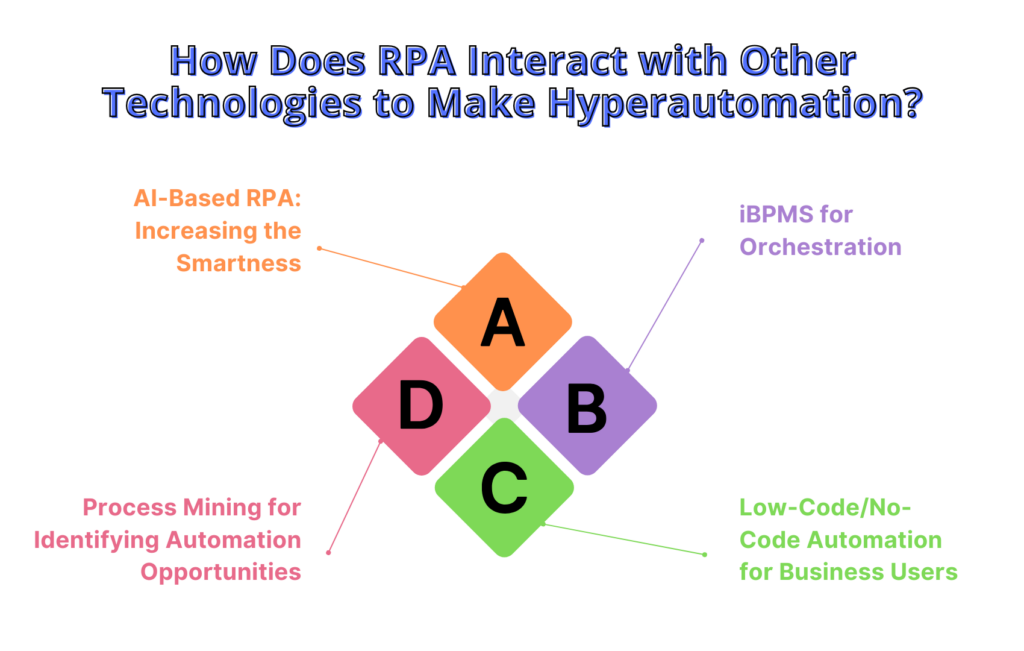
    How Does RPA Interact with Other Technologies to Make Hyperautomation?

    1. AI-Based RPA: Increasing the Smartness

    RPA becomes intelligent by associating with other AI-based technologies.

    • Natural Language Processing (NLP): This facilitates using unstructured emails and chat logs to enable the intelligent routing of communications
    • Machine Learning (ML): These bots increase their performance over time because of the data they draw from the previous records. Hence, it maximizes accuracy and efficiency.
    • Computer Vision: This is an advancement of RPA since it enables one to interface with applications that may or may not contain structured interfaces with no screen present.

    For instance, AI-based RPA can be used in intelligent claims processing in insurance, where it can automatically extract, validate, and route data.

    1. Process Mining for Identifying Automation Opportunities

    Process mining tools assess the workflow and then identify the points of inefficiency by pointing to where automating is likely. The bottleneck found can be automated using RPA, streamlining the processes involved. An example would be if a hospital optimized admission using process mining to automate entry and verification through RPA.

    1. iBPMS for Orchestration

    iBPMS provides governance and real-time automation monitoring; therefore, it executes processes efficiently and effectively. RPA automates some tasks within an extensive process framework managed by iBPMS. For example, order fulfillment in e-commerce involves using RPA to update inventory and ship orders.

    1. Low-Code/No-Code Automation for Business Users

    Low-code/no-code platforms enable nontechnical employees to develop RPA workflows, thus democratizing automation and speeding up hyper-automation adoption. For example, a marketing team can use a low-code tool to automate lead management, freeing time for more strategic activities while improving efficiency.

    RPA's Interaction with Other Technologies to Make Hyperautomation

    What is the Impact Of RPA on Hyperautomation in Terms of Business?

    1. Unleash Full Potential

    Hyperautomation unlocks the true potential of RPA, which is rich in AI, process mining, and intelligent decision-making. The RPA performs mundane tasks, while AI-driven tools optimize workflows and improve decision-making and accuracy.

    For example, RPA bots can process invoice data extraction. AI enhances document classification and validation to ensure everything is automated.

    1. Flexibility and Agility in Operations

    RPA enables businesses to integrate multiple automation tools under one umbrella while still being able to change immediately according to fluctuating market and business situations. This cannot be achieved through static automation, but it provides more scalable and flexible ways of automating workflows with real-time optimization using RPA-based hyperautomation.

    1. Increasing Workforce Productivity

    With the automation of mundane, time-consuming tasks, RPA allows others to apply more of their expertise in strategic thinking, innovation, and customer interaction, thereby improving workforce productivity and further driving the business.

    1. Seamless Interoperability Of Systems

    RPA makes the data exchange and execution of workflows between business units, digital workers or bots, and IT systems invisible. This gives organizations the benefit of faster decisions and effective operations.

    Hyperautomation using RPA provides for efficiency, reduced operational cost, and ROI. Therefore, business benefits range from real-time data processing to automatic compliance checks with easy scalability to stay sustainable and profitable over long periods.

    Conclusion

    Hyperautomation is more than just RPA services—it’s about integrating technologies like AI, process mining, and low-code platforms to drive real transformation.

    Hyperautomation is not just about adding technology to your processes — it’s about rethinking how work flows across your organization. By combining technology intelligently, businesses can automate smarter, work faster, and make decisions with greater accuracy.]

    This powerful digital strategy, driven by RPA services, can not only boost efficiency but also help your organization become more agile, resilient, and future-ready.

    As a leader in the automation solutions firm, SCS Tech supports initiating this digital strategy in organizations to help them move beyond tactical automation to a strategic enabler of that same transformation.

  • Overcoming Challenges: Implementing Robotic Process Automation Successfully

    Overcoming Challenges: Implementing Robotic Process Automation Successfully

    Implementing Robotic Process Automation (RPA) presents transformative opportunities for businesses aiming to streamline operations and enhance efficiency. When you think of a world in which every worker never gets tired and can do repetitive tasks with zero mistakes. RPA is no different, as it carries a similar tagline and guarantees businesses solutions that will make them run smoother and cost less. Sadly, the road towards RPA realization is not always lined with rainbows and butterflies. However, achieving successful RPA integration requires navigating a range of challenges, from selecting appropriate processes for automation to managing change within the organization. 

    Therefore, overcoming these technical difficulties such as process mapping, API integration, and error handling would create the foundation for RPA, thereby ensuring the achievement of excellence in automation.

    This blog delves into the strategies and best practices essential for overcoming these hurdles, providing a roadmap for harnessing the full potential of RPA to drive operational excellence and innovation.

    Challenges of Robotic Process Automation Implementation

    Even though RPA has great potential, a few challenges may hamper the successful implementation of RPA.

    Process Inefficiency

    It is crucial not to automate an inefficient process, as it makes pre-existing issues worse. A process in its optimal state should first be designed and structured to allow the technology in robotic process automation to work as efficiently as possible.

    Inadequate Skills and Resources

    Lacking a team of competent workers who have specialized in process analysis, RPA technology, and change management will be a letdown when it comes to implementing RPA. Lack of such skills may be a definitive threat to the success of the project.

    Integration Issues

    RPA bot integration with IT is possible, and companies may face some challenges while integrating bots with other systems of the enterprise. There are compatibility and data security issues that may hamper its proper functioning to be addressed.

    Resistance to Change

    Workers may fear that as automation advances, the job market will shrink and cut out positions for people to fill. Through discussions concerning training, communication, and emphasis programs that seek to reskill staff, incidences of resistance and non-adoption can be reduced.

    Data Security and Governance

    The important thing to note is that even in most RPA processes, the use of personal data is inevitable. To reduce security risks, it is essential to use prepared security measures, such as user rights, data security, and controls, as well as security updates and scans.

    Overcoming the Obstacles: A Roadmap to Successful RPA Implementation

    By proactively addressing these challenges, you can pave the way for a successful RPA implementation:

    Define a Clear Strategy

    Begin by developing an effective and strategic RPA framework. Suggest measurable and achievable objectives, determine the areas that could be best suited to automation, and carefully analyze the ROI.

    Focus on Process Optimization

    When using RPA as part of the robotic process automation strategy, it is crucial to assess the process to be automated and enhance it to achieve the best results with minimal glitches.

    Build a Strong Team

    Constitute a team with the ability to complete the project as planned. If the company does not have a strong internal team, then it might be a wise decision to hire RPA specialists or outsource the task to a provider that has the necessary experience.

    Prioritize Integration

    Assess existing functionalities and ensure the selected RPA tools are compatible with the IT infrastructure. Create a sound integration plan and work on integration issues especially those of data security.

    Embrace Change Management

    User adoption is crucial to every RPA implementation plan and strategy. One should ensure that change management practices such as communication, training, and tackling employee issues are exercised and should talk about how RPA will enable higher-value work.

    Start Small and Scale Up

    First, try to establish a well-understood, low-risk process to illustrate the potential of RPA and gain trust. Once you hit the initial levels of success, it is possible to invest in better systems to handle more advanced tasks.

    Moreover, A McKinsey report published in 2023 shows that 80% of executives interviewed argued that automation would likely disrupt their organizations and industries by 2030. This raises a bar showing the gradual realization that RPA is indeed a plausible way of enhancing productivity, minimizing errors, and enhancing staff happiness.

    The Benefits of Successful Robotic Process Automation Implementation

    By overcoming these challenges, you can discover the true potential of RPA and experience a range of benefits:

    Increased Efficiency

    Robotic process automation can work on monotonous tasks to reduce the burden on employees and utilize their time on more significant responsibilities. This means there is increased efficiency and hence better results are achieved.

    Reduced Errors

    RPA bots offer a means of reducing manual errors to enhance data credibility and procedures’ quality.

    Enhanced Employee Satisfaction

    Hounding routine tasks means employees can engage in more complex and interesting work to enhance their work satisfaction.

    Cost Savings

    Less time is required for processing, fewer mistakes occur, and the functioning of organizational processes becomes more smooth; all of these factors lead to decreased organizational costs.

    Improved Customer Satisfaction

    More efficiency and fewer mistakes mean shorter times while fulfilling orders and better interactions with customers.

    To learn about how these RPA Services are implemented, visit this link.

    Investing in Your Future – Embracing RPA for Success

    Robotic Process Automation is not an ultimate solution, but when effectively managed, it is a powerful tool for change. Likewise, when considering the challenges, following the guidelines of the recommended actions, and shifting towards the adoption of a user-centered strategy, one may integrate RPA into an organization and experience the benefits of a more efficient, productive, and prospective business.

    Get in touch with us to know more about how you can implement intelligent automation by utilizing the expertise of RPA tools and automation services


  • Process Automation – a business lifesaver

    Process Automation – a business lifesaver

    In today’s highly competitive and rapidly evolving business environment, leaders face numerous hurdles. With customers and market demands constantly shifting, companies must remain ahead of the curve to gain a competitive edge. One crucial way to achieve this is through Process Automation, which can streamline operations, boost profitability, and enhance resilience and agility in the face of ever-evolving challenges.

    Understanding the significance of Process Automation
    Discovering the different forms of Process Automation and its benefits

    Process automation is a valuable tool for businesses to reduce costs, minimize risk, and enhance operations. By relying on automation, companies can prevent human errors that could result in significant losses and also streamline processes to improve service delivery. Process automation promises faster task completion, more efficiency, and minimal errors, enabling businesses to stay competitive.

    Understanding the significance of Process Automation

    Process automation refers to the use of technology to perform tasks without the need for human intervention. In today’s fast-paced business environment, it is a crucial element that can lead to increased efficiency, reduced errors, lower costs, and improved productivity.

    By automating routine and repetitive tasks, companies can enable their employees to concentrate on more strategic and value-adding activities such as innovation and problem-solving. This approach can improve the efficient and effective use of resources, ultimately resulting in increased competitiveness and profitability. Moreover, process automation can enhance data processing accuracy, minimize manual errors, and provide a consistent, standardized approach to tasks, resulting in improved quality control.

    Discovering the different forms of Process Automation and its Benefits

    Process automation is transforming businesses by streamlining workflows, reducing costs, and enhancing efficiency. However, with several automation types available, choosing the right one can be daunting. Here are five essential process automation types to consider.

    1. Marketing Automation

    Marketing automation is an essential tool for businesses that frees up time and resources. It streamlines marketing efforts and delivers desired results, creating a better customer experience. Automated email campaigns target specific audiences and deliver tailored messages, with real-time adjustments to improve the marketing strategy. Marketing automation increases customer satisfaction and drives higher conversions, making it the future of marketing.

    2. IT Asset Management Automation

    IT asset management automation saves time, ensures accuracy, and reduces costs by automating tracking and management of IT assets. Automated solutions optimize the IT supply chain, streamline processes, and keep the IT team up-to-date on the latest hardware updates. Refine and optimize IT processes and keep tech running smoothly with the power of automation.

    3. Accounting Automation

    Accounting automation can streamline financial processes, saving time, and boosting accuracy. It simplifies tasks like creating purchase orders and managing contracts, providing clear and accurate records. Automation frees up the finance team’s time, allowing them to work smarter and provides a higher ROI for businesses.

    4. HR Automation

    HR automation can streamline traditional HR processes such as sifting through resumes, managing payroll and benefits, and handling contracts, tax data, and training programs. This can help ensure accuracy, mitigate the risk of errors, comply with employment laws, and allow HR teams to focus on other important responsibilities. Finding the right candidate and the entire offer process can be automated, saving time and effort.

    5. Customer Support Automation

    Customer support automation offers a solution to streamline customer service and create a seamless and efficient customer experience. Automated processes can help businesses attend to customer needs quickly and effectively, reducing mistakes and miscommunications while boosting efficiency levels. Embracing customer support automation can differentiate a business from the competition and create loyal customers.


  • Ultimate guide to RPA and the industry response

    Ultimate guide to RPA and the industry response

    Robotic process automation, or RPA, is a crucial component of the digital transformation for corporations and business organisations regardless of their location or function. To comprehend why automation is so beneficial, let’s delve into this brand-new universe.

    • RPA Services: What Are They?
    • How do RPA Services function?
    • RPA – the best solutions for enterprises
    • RPA process benefits

    How do RPA Services work?

    Robotic process automation, or RPA, is a technology that enables businesses to automate some repetitive processes.

    RPA software uses a mix of cognitive processes, automation, and modern technologies (such machine learning and automation). It can be used to carry out straightforward operations like sending an email automatically as well as sophisticated ones that thousands of bots can carry out simultaneously.

    Robotic process automation as a service, or RPAaaS, is a cloud-based, outsourced service that involves the deployment of software robots to handle such repetitive operations without any input from the clients.

    According to recent data on the status of RPA implementation, 78% of those who have previously done so anticipate much more investment in RPA over the following three years. There is obviously a lot to do, and there is a big demand. Let’s examine why.

    How are RPA Services implemented?

    RPA services significantly influence how businesses change and grow. Software robots can navigate systems, identify data, and carry out a wide range of tasks that resemble those carried out by humans. They can complete jobs more quickly and reliably than humans since they are robots, which also don’t make mistakes, get weary, or need breaks. They don’t get side tracked by social media, and they don’t require extra encouragement to get things done.

    RPA technology boosts efficiency, productivity, and accuracy in many corporate operations thanks to these benefits. This is why it became so important for organisations that want to grow, expand, or improve their effectiveness.

    Benefits of RPA processes for businesses

    It is far preferable to adapt RPA and use it in daily work than to hire new workers to perform simple tasks or to assign highly competent employees to repetitive activities and so waste their expertise. Employees who are relieved of monotonous and simple tasks can concentrate on bringing innovation to the company and coming up with fresh ideas to increase its success.

    The main benefits of RPA processes for enterprises include:

    • increase in effectiveness
    • efficiency
    • productivity
    • client satisfaction
    • cost savings
    • revenue growth
    • work quality and quantity improvement
    • improved compliance
    • faster pace of digitalization are all desirable outcomes

    The best solutions for large enterprises involves RPA

    53% of various firms use RPA services internationally, according to research. Depending on their demands, size, and industry, it is predicted that almost all businesses will use some form of automation within the next five years.

    Interested in learning more RPA?

    Consider putting it into practise in your business to advance it. Get in contact with our experts; we’d be pleased to assist you!